Manufacturing Routes: What They Are and How to Define Them Well

2026-11-03
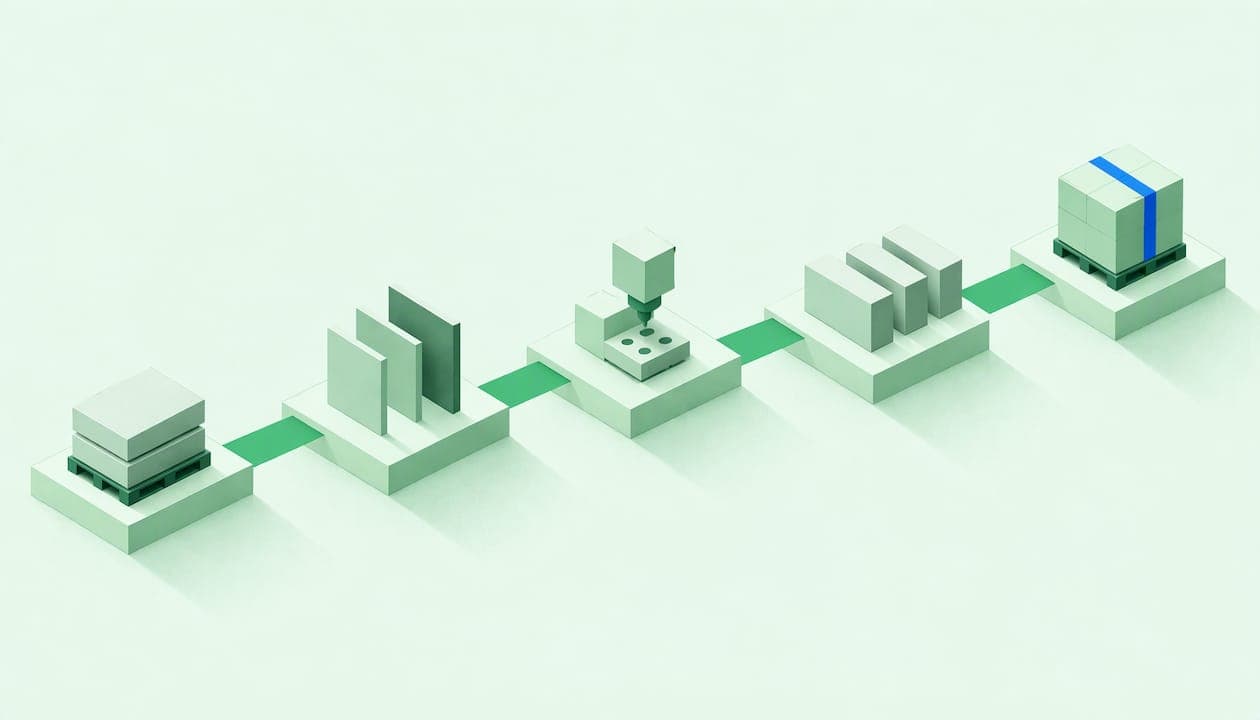
A manufacturing route, also called a work route or routing sheet, is the sequence of operations a product goes through on the shop floor to be completed: what is done, in what order, at which work center, and with what time requirements. It is the recipe for how, just as the bill of materials is the recipe for what. When it is well defined, planning, assigning work, and calculating costs no longer depend on the supervisor’s memory. If it does not exist or lives in an Excel spreadsheet, every order is manufactured a little differently.
In this article, we explain what a route contains, how to build one step by step, how it links to manufacturing orders and work reports, and the mistakes we most often encounter at small and medium-sized industrial businesses.
In brief
-
A manufacturing route is the ordered list of operations for a product, each with its work center, times, and instructions.
-
The route is the template; the manufacturing order is its specific execution for a quantity and a date, and work reports record what actually happens.
-
With planned times in the route and actual times in the work reports, you can plan capacity, calculate costs, and identify variances.
-
Start with your 5 or 10 most frequently repeated products, with clear operations and a single person responsible for keeping the route up to date.
-
An MES/MRP with a tablet interface lets the operator mark the start and end of each operation without using paper.
Table of contents
What a manufacturing route is and what it is for
The route describes a product’s path through the factory. Each step is called an operation: cutting, bending, welding, machining, painting, assembly, packaging. A route for a metal bracket, for example, might be laser cutting, bending, welding, painting, and packaging. Five operations, five workstations, and an order that cannot be changed without consequences.
The name varies by industry and software. In practice, “manufacturing route,” “work route,” “production route,” “routing sheet,” and routing all refer to the same thing: the model that is then copied into each order. Some systems treat it as a guide for the operator, with links to work instructions, drawings, and specifications, and that is a good way to think about it: it not only organizes the work, it also explains it.
What is it for, specifically?
-
Standardize. Two different shifts manufacture the same part in the same way.
-
Plan. Without knowing which operations are involved and how long they take, you cannot calculate the workload for each machine.
-
Cost. Labor and machine costs come from the times for each operation.
-
Track production. If each operation can be marked as pending, in progress, or complete, you know where each order is without walking around the shop floor.
-
Train. A new employee can understand the process by reading the route, rather than asking someone who has been doing it for twenty years.
Route, bill of materials, and manufacturing order: they are not the same
This is the most common confusion when a factory starts digitizing. It helps to separate three concepts:
| Concept | Answers the question | Changes with each order |
|---|---|---|
| Bill of materials (BOM) | What components and raw materials does the product contain? | No, unless the design changes |
| Manufacturing route | What operations, in what order, and using which resources? | No, unless the process changes |
| Manufacturing order | How much are we making, by when, and in what batch? | Yes, with each release |
The route and the bill of materials are master data: they are defined once and reused. The manufacturing order is the living document. According to the FabricaPyme guide to manufacturing orders, the specific order sets a quantity and captures the route’s operations, consumption, hours, and actual issues. In other words, the order inherits the route as its starting point and becomes the record of what actually happened.
In Bold Factory’s documentation, we explain how this flow is organized in production plans, where orders are scheduled over time and assigned to resources.
What data each operation should contain
A route with fifteen fields per operation that nobody fills in is worse than a route with five reliable fields. These are the fields we consider essential:
-
Operation number and description. A name the operator understands, not an internal code: “Bend side tabs to 90°” is better than “OP20.”
-
Work center or resource. Where it is done: a specific machine, a group of equivalent machines, or a manual workstation. If two presses can perform the same bending operation, define the group rather than the machine, and scheduling will be more flexible.
-
Setup time. The time spent changing tooling, the program, or the material before starting the run. It is incurred once per batch.
-
Run time per unit. The time each part takes. Multiplied by the quantity and added to setup time, it gives the operation’s duration.
-
Instructions and documentation. Drawing, machine program, parameters, reference photo, acceptance criteria. Ideally, the operator can open them directly from the operation.
-
Materials consumed in that operation. This tells the warehouse when each component needs to arrive, rather than bringing everything at the start of the order.
-
Associated quality control. If the operation requires a measurement or inspection, it should appear in the route, not in someone’s memory.
One detail that greatly improves scheduling: indicate whether an operation can overlap with the next one. If you have to manufacture 500 parts, you do not need to wait until all 500 have been cut before starting to bend the first ones.
How to estimate times without making them up
The most common mistake is to copy the time “we’ve always used” or the time the customer says. Here is a simple method:
-
Time the operation across three different batches and different shifts.
-
Separate setup from time per unit: the first cycle is always slower.
-
Record what is not cycle time (waiting, looking for a tool, moving material) and decide whether it belongs in the route or is a loss that should be tackled separately.
-
Review the times after a month of actual work reports. Correct the route using data, not opinions.
How to create a manufacturing route step by step
You do not need a months-long project. For a specific product, the process is as follows:
-
Walk through the plant with the product. Follow an actual part from the moment the raw material arrives until it leaves packaged. Record every workstation it passes through, including external operations (treatments, galvanizing, subcontracted painting).
-
Define the operations and their order. Number them in increments of ten (10, 20, 30) so you can insert a new operation without renumbering everything.
-
Assign a work center to each one. Distinguish between unique resources and interchangeable groups.
-
Enter setup and run times. Use measured data, not intuition.
-
Link the documentation. Drawings, programs, instruction sheets, photos.
-
Link materials to the operation in which they are used.
-
Add quality control points.
-
Validate it with the person who performs the work. Review the route with the supervisor and an operator. If they say, “We do something different here,” the route is wrong, not the operator.
-
Release a pilot order and compare. The first actual batch will tell you what was missing.
When you have many similar products, use base routes and variants: a common cutting and bending route, with optional painting or assembly operations depending on the model. Maintaining twenty nearly identical routes is the quickest way to let them become outdated.
How operations are ordered
The order is determined by the logic of the process, but there are three decisions worth making deliberately:
-
Strict or flexible sequence. Welding before painting is mandatory; machining two holes in either order is not. Mark only genuine dependencies as mandatory.
-
Parallel operations. Two subassemblies can be assembled at the same time; the route for a composite product is often actually several routes that converge at final assembly.
-
External operations. A subcontracted treatment has a lead time you do not control. Include it as an operation with its usual duration, because it affects the delivery date more than any in-house machine.
From the route to the order and the work report
This is where a route goes from being a document to being a tool. The usual cycle is:
-
An order arrives and a manufacturing order is released with a quantity and a delivery date.
-
The order copies the route’s operations with their planned times.
-
Each operator records their work in a work report: which operation, how much time, how many good parts, and how many rejected parts.
-
When the order is closed, you compare what was planned with what actually happened.
That work report is the source of truth. In the FabricaPyme guide mentioned earlier, the order also records actual issues, and its author emphasizes that a well-managed order must include traceability and actual issue tracking to ensure quality. A report that only says “done” is not useful for costing; one that records start, end, and quantity is.
How to record progress: completed, pending, and in progress
The practical question is what to do with work that is halfway through the process. One simple approach is to mark the start and end of each operation, so you can compare planned times with actual times. From there, each operation has a clear status:
-
Pending: it has not started.
-
In progress: it has a start time but no end time yet.
-
Partial: some units have been completed and the rest are still waiting. Record the quantity completed, not an estimated percentage.
-
Complete: it has an end time and good and rejected quantities.
Partial operations cause the most disorder when managed on paper. If 200 of 500 parts have already been cut and move on to bending while cutting continues, the route must allow for this and the system must show where each batch is. And when an order is closed with operations in progress, explicitly decide what happens to the remainder: a new order, scrap, or reassignment. Closing “all at once” without deciding is the source of many inventory discrepancies.
How routes help plan, control costs, and track production
Plan resources
With operations, work centers, and times, a planning system can calculate the workload per machine and per week. When two orders compete for the same resource, the decision becomes visible: Which one goes first? Should it be diverted to an equivalent machine? Should overtime be scheduled? Without a route, that decision is made by guesswork at seven in the morning, with the supervisor putting out fires.
A simple example. If a bending operation has 30 minutes of setup and 2 minutes per part, a batch of 100 parts occupies the press for 230 minutes (30 + 100 × 2), almost four hours. With that information and the press schedule, you know whether the order can be fitted in this week. Splitting the batch or grouping orders that use the same tooling changes the result, and you can only see that if the times are separated.
Control times and costs
The standard cost of an operation comes from multiplying its time by the resource’s hourly rate (labor plus machine). Actual work reports give you the actual cost. The difference between the two is your improvement map: operations that consistently take longer than expected, setups that run long, rejects concentrated at one workstation. When the data does not exist, discussions about a product’s profitability are just opinions.
Track production in real time
If each operation has a status, the operations director or owner can see which orders are stopped, at which workstation, and for how long, without calling anyone. For an owner who is not on the shop floor all day, that visibility is the difference between finding out about a delay from the customer and having three days to react.
Quality control and traceability within the route
A well-designed route includes the points where quality is checked, not just the final inspection. In-process inspection detects a defect at the operation that causes it, rather than after value has been added to an already defective part; approaches vary by production run, such as in-process inspection in short-run shops in machining.
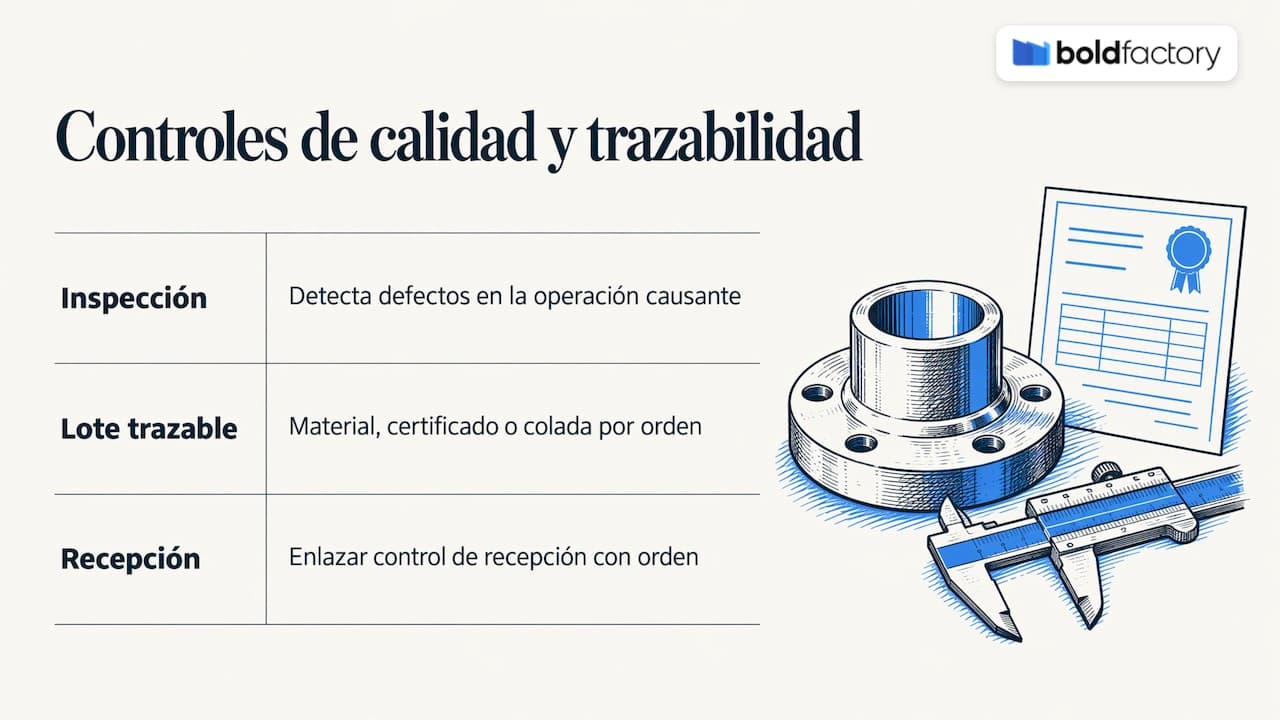
The other half is traceability: knowing which material batch, with which certificate or heat number, went into each order. If you manufacture for demanding industries, your measuring instruments matter too, and it is worth understanding the difference between traceable and accredited calibration before an auditor asks. Linking incoming inspection to the order makes that chain easier; in our documentation, we describe how to configure and complete incoming inspections in the warehouse.
Common mistakes when defining routes
-
“For show” routes. They are written once for the ERP and nobody touches them. They end up describing a process that no longer exists.
-
Times copied from the customer or the quote. They are useful for quoting, not for planning.
-
Too much detail. If every gesture is an operation, nobody records work reports. An operation should correspond to a workstation and a relevant change of status.
-
No owner. Someone (production or process engineering) must be able to modify the route and record why.
-
Mixing up the route and the order. If every order is edited by hand, the master route never learns. Recurring corrections should be fed back into the route.
-
Manufacturing “in bulk.” Releasing an order without defined operations and recording only the total at the end. It works until the day an order loses money and you do not know where.
From Excel to a connected system
In a spreadsheet, you can list operations, but they do not update themselves, notify the operator, or link to stock and maintenance. The move to a manufacturing operations management system is usually justified when one of these signs appears: more than one shift, orders competing for the same machines, traceability required by customers, or unexpected downtime disrupting the plan.
At Bold Factory, we have gone a step further: we have combined the manufacturing route and the cost breakdown (or BOM, from the English Bill of Materials) into a single template, the recipe. Each manufacturing order inherits everything it needs from that one place: which materials it consumes and which operations it goes through. In addition, thanks to a variable properties system, the same recipe works for several items, so there is no need to create a route and cost breakdown combination for each one.
Bold Factory is a platform that brings together production (MES), planning and purchasing (MRP), warehousing (WMS/SGA), and maintenance (GMAO/CMMS), designed for industrial small and medium-sized businesses with between 5 and 100 operators. Orders and work reports are recorded through a tablet-friendly interface, so operators can log their work without going through an office, while management can see the state of the factory without being on the shop floor. It is implemented in days and has no lock-in, which is unusual compared with custom-built solutions. If you already have an ERP, API integration lets you connect it instead of replacing it.
How to get started this week
You do not need to document the entire factory. Here is a realistic plan:
-
Choose the five products that are repeated most often or generate the most revenue.
-
Draw their route with the supervisor on a whiteboard, before touching any software.
-
Time setup and cycle times for bottleneck operations.
-
Enter those routes into the system and release actual orders with start and end work reports.
-
After four weeks, compare planned and actual results and correct the routes.
-
Add more products in waves, always starting with the most frequently repeated ones.
At this pace, the system is built on validated data and the team sees results quickly, which is what sustains the change.
Frequently asked questions
Is a manufacturing route the same as a work route?
In practice, yes. Manufacturing route, work route, production route, and routing sheet are used to name the sequence of operations for a product, and the name depends on the industry and the software. What matters is that it defines operations, resources, and times.
What is the difference between a route and a manufacturing order?
The route is the reusable model: the operations a product requires. The manufacturing order is its application to a specific order, with a quantity, date, actual consumption, hours, and issues. One route can be used for thousands of orders.
How many operations should a route have?
As many as there are relevant changes of workstation, resource, or status in the process, and no more. If an operation does not involve a change of machine or person in charge and does not need its own record, it is probably a step in the instructions, not an operation.
How often should routes be reviewed?
Whenever the process, machine, or design changes, and periodically using data from actual work reports. If an operation consistently deviates from its planned time, that is a sign that the route, not the operator, needs adjusting.