Wave picking: what it is and how to implement it in your warehouse

2026-10-06
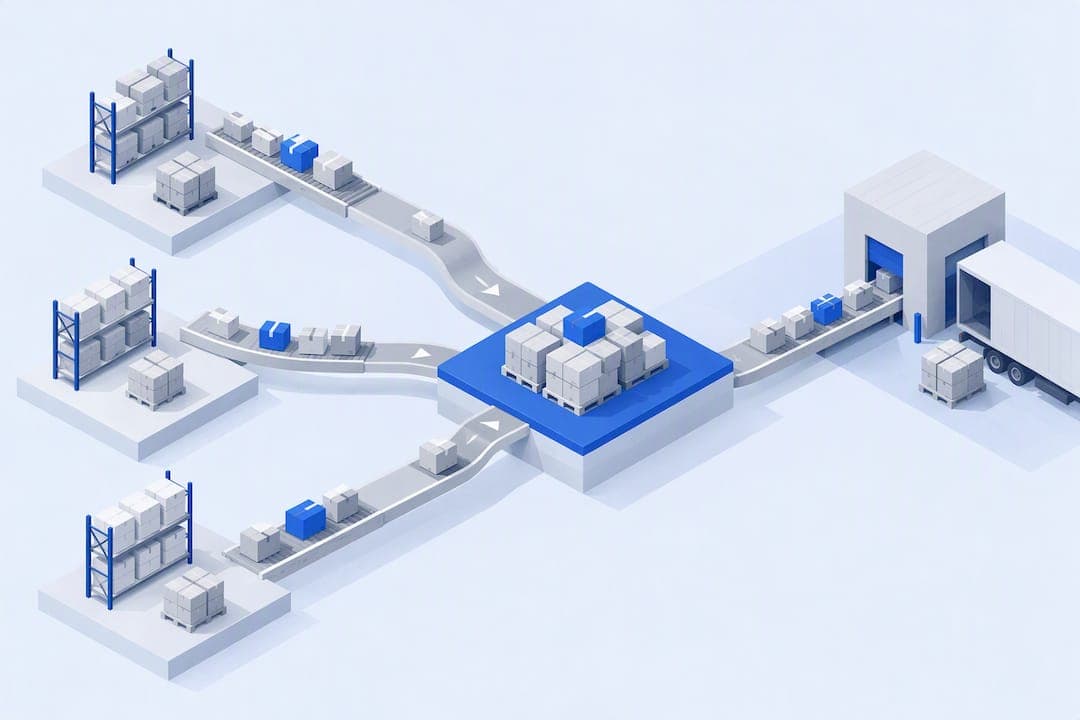
Wave picking groups orders with shared characteristics and releases them in planned batches throughout the shift, rather than letting them flow one by one. It works best in medium- or high-volume warehouses that already have a WMS capable of sequencing tasks and distributing the workload among pickers. When properly sized, it reduces travel and synchronizes order preparation with transport departure windows.
In summary:
- Optimizing wave picking reduces travel distance and synchronizes order preparation with transport windows, provided an appropriate management system is used.
- Grouping orders by proximity or shared SKU reduces consolidation errors, but requires good inventory control and strong data governance.
- Designing effective waves involves defining their size, grouping criteria, and limits on simultaneous orders, then testing them in a pilot with real orders.
- Integrating the management system with the ERP and its real-time platform is key to coordinating, validating, and continuously improving the wave strategy.
- Wave size and grouping rules should be tailored to the warehouse's characteristics, layout, and order volume through simulations and practical pilots.
Table of contents
- What wave picking is and how it differs from other methods
- Operational benefits and limitations of wave picking
- How to design waves: practical criteria and strategies
- Coordination with WMS and technology: release, sequencing, and traceability
- Metrics and KPIs for measuring the impact of waves
- Practical steps for implementing wave picking in your warehouse
- Common mistakes and how to avoid them
- Practical evidence and supporting research: simulation findings and how to interpret them
- How Bold Factory makes it easier to implement and operate wave picking
- Frequently asked questions
- Sources
What wave picking is and how it differs from other methods
A wave has three stages: release (the system selects which orders go into the batch and assigns them to workers), execution (physical picking along an optimized route), and consolidation (bringing together the lines for each order before packing). As described by Wikipedia's article on wave picking, this is a short-interval scheduling practice that coordinates tasks and balances the workload by function throughout the shift.
Unlike order picking, where each worker completes an entire order before moving on to the next, waves make it possible to walk fewer aisles per unit picked. Unlike zone picking, which divides the warehouse into fixed areas, waves can be combined with zones to get the benefits of both. The waveless method, by contrast, releases orders continuously without prior grouping, providing greater flexibility but sacrificing workforce planning.
- Order picking is easy to manage but generates more miles per unit.
- Zone picking reduces travel within each area, although it requires coordination of consolidation between zones.
- Waveless picking prioritizes response speed over route efficiency.
Operational benefits and limitations of wave picking
Grouping orders by location proximity or shared SKU reduces the travel required for each picker and makes shift planning easier because the number of lines to cover in each batch is known in advance. It also helps synchronize goods dispatch with carrier windows, something that insurance for high-value goods not only guarantees but also effectively protects.
The trade-off arises during consolidation: the more lines mixed in a wave, the greater the risk of errors when separating orders, especially if inventory data is unreliable. Weak data governance turns a large wave into a source of rework rather than an efficiency gain.
- Benefit: less travel and better staff allocation by work batch.
- Benefit: closer synchronization with dispatch schedules.
- Risk: consolidation errors as the number of orders per wave grows.
- Risk: inventory errors are amplified if the master data has not been cleaned up.
Increasing wave size from one to ten orders can significantly reduce the distance traveled by each picker, according to the dataset analyzed in this study on picking optimization, although the effect depends on each warehouse's layout and product mix.
How to design waves: practical criteria and strategies
Designing a wave is not just a matter of deciding how many orders fit into it. Several rules determine whether the batch works on the warehouse floor or becomes a bottleneck.
- Group by location proximity to minimize travel within the aisle.
- Set a minimum number of SKUs shared between orders before combining them in the same wave.
- Prioritize by customer or service-level agreement when there are urgent orders.
- Set aside a separate batch for orders requiring value-added services (VAS), such as special labeling or kits.
- Size each wave based on available work hours and the number of active pickers on the shift, not just line volume.
- Set a maximum number of simultaneous orders in consolidation to avoid overloading the dispatch area.
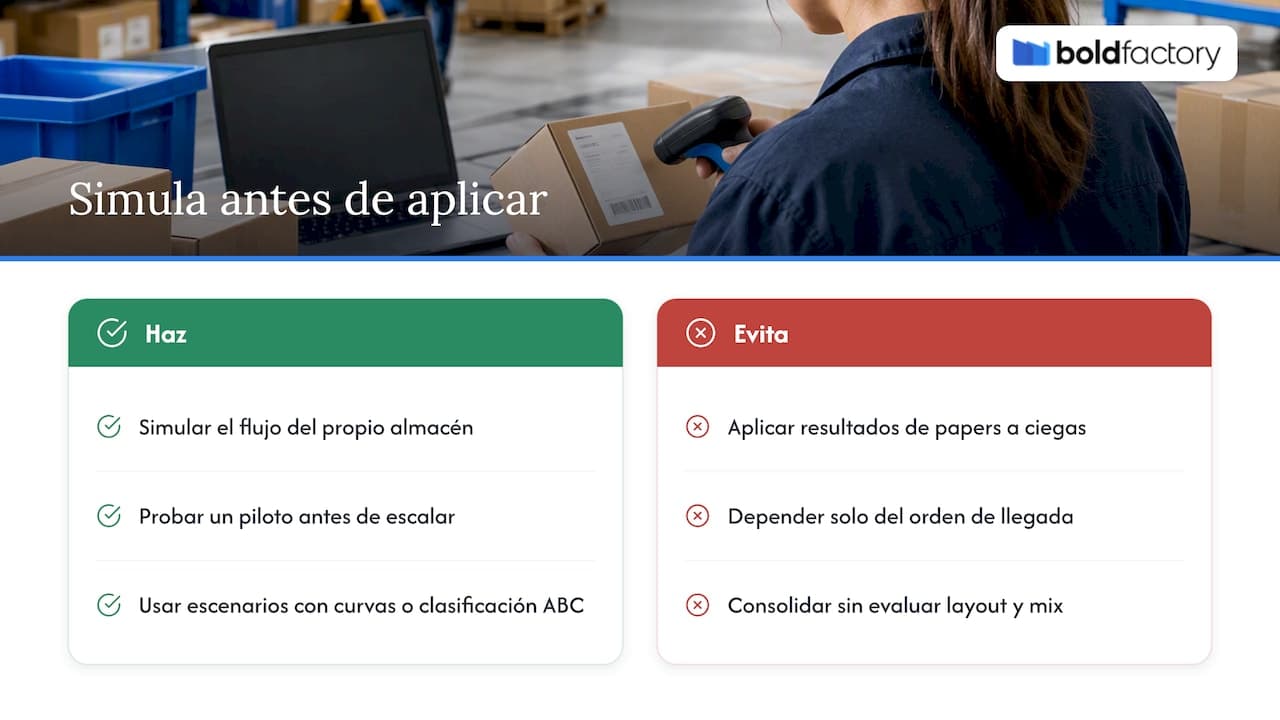
A simulation study presented at the Winter Simulation Conference compared four wave-generation scenarios, labeled S1 to S4. The final scenario incorporated a strategy based on sales curves or ABC classification. This scenario with sales curves tended to produce more consistent results across replications because it anticipates which products will move together most frequently, rather than grouping orders solely by arrival time.
Professional tip: before setting a grouping rule in production, test it during a pilot shift with a subset of real orders and compare distance and time against your current method.
Coordination with WMS and technology: release, sequencing, and traceability
No wave strategy can succeed without a system that calculates workload, sequences tasks, and displays the status of each batch in real time. Bold Factory's WMS centralizes these functions on the same platform that already supports production and planning, preventing warehouse information from becoming isolated from the rest of the operation.
The functions a WMS should cover to support wave picking include:
- Scheduled wave release according to grouping criteria and priority.
- Automatic calculation of workload by picker and by zone.
- An operational dashboard showing the status of each wave in real time, accessible from a mobile device.
- Scanner or reader validation at each line confirmation to prevent consolidation errors.
- Integration with the ERP so that released orders reflect up-to-date stock and lead times.
The integration between WMS and ERP calls for a clear operational agreement with the IT team: which events trigger a wave's release, how often stock is synchronized, and who can modify grouping rules without submitting a change request. Without that agreement, every rule adjustment becomes a multi-week project instead of a configuration change.
Metrics and KPIs for measuring the impact of waves
Four indicators are enough to tell whether a wave is working: total time per wave, distance traveled per picker, units processed per hour, and the consolidation error rate. Comparing them before and after a pilot, shift by shift rather than only as a weekly average, makes it possible to detect whether an improvement is real or the result of a day with fewer orders than usual.
The same simulation study cited above reported average improvements in operating time and reductions in picker travel distance in the best-performing scenarios (INFORMS WSC), a useful reference for setting expectations before scaling any rule change.
Practical steps for implementing wave picking in your warehouse
Implementing waves requires organization before speed. This sequence helps avoid the most costly mistakes of a rushed rollout:
- Audit location and SKU master data before changing any grouping rules.
- Define physical consolidation zones and assign separate containers to each order.
- Design a pilot with a specific hypothesis: define the wave size, grouping criteria, and success KPI in advance.
- Run the pilot over several complete shifts, not just a single day, to capture real variability.
- Compare the pilot KPIs with the baseline and decide whether to adjust size, frequency, or priority criteria.
- Train the team on the new rules before scaling to the entire warehouse, including what to do when an exception occurs.
- Review the rules every few weeks as the order mix or seasonality changes.
This test-and-adjust cycle is what distinguishes an implementation that improves over time from one that is abandoned after the first setback.
Common mistakes and how to avoid them
The most common failure is sizing waves too large for actual consolidation capacity, which overloads the dispatch area and leads to orders getting mixed up. It's also common to group orders only by arrival time without considering location proximity, losing much of the travel savings that justify the method.
- Set a minimum and maximum number of orders per wave; never use a single fixed number for the entire shift.
- Use spatial clusters rather than grouping by chronological arrival order.
- Clean up location and stock master data before every rule change.
- Check daily that the consolidation containers match the number of active orders in the wave.
As Randstad explains in its guide to batch picking, having consolidation zones and separate containers for each order is a prerequisite for preventing orders from getting mixed up, not a minor design detail.
Practical evidence and supporting research: simulation findings and how to interpret them
Simulation studies agree that grouping orders reduces distance and time, but not on the exact extent of the reduction or the configuration that achieves it. Scenarios based on sales curves or ABC classification tend to be more robust because they anticipate which products should be moved together, rather than relying only on the order arrival sequence.
No research finding can be transferred directly to a specific warehouse: its layout, SKU mix, and order rate determine whether maximum consolidation or small, frequent waves are preferable. That's why every operation needs its own simulation or pilot before scaling any rule.
How Bold Factory makes it easier to implement and operate wave picking
Designing wave rules is only half the work: the other half is having a system that executes them without relying on parallel spreadsheets. At Bold Factory, we integrate the WMS with production and purchasing on the same platform, so the release of a wave already reflects real stock and order priorities without manual steps in between.
- Wave release rules configurable by proximity, customer priority, or dispatch date.
- An operational dashboard showing the status of each wave on a mobile device, designed for direct use by floor operators.
- AI agents that can automate notifications and repetitive tasks associated with wave generation through natural-language instructions.
Unlike custom development, our platform can be implemented in days with no long-term commitment, with plans ranging from Lite at €300 per month to Pro at €500 per month, depending on the number of users and the features your operation needs. If you'd like to see how your own wave rules could be configured, you can check the plans and prices on our pricing page.
Frequently asked questions
What are the 5 types of picking?
The most common variants are order picking, batch or wave picking, zone picking, waveless picking, and discrete picking combined with zones. Each organizes how orders are grouped and assigned to workers differently, depending on the volume and layout of the warehouse.
What are the 4 phases of picking?
The phases are usually described as assigning the task to the worker, traveling to the location, picking and confirming the line, and consolidating the complete order before packing. In wave picking, these phases are repeated within each batch released by the system.
What is meant by picking?
Picking is the set of tasks involved in locating, picking, and confirming the items that make up an order in the warehouse. Optimizing it means reducing travel, organizing locations, and using the management system to sequence tasks, not just asking workers to move faster.
What does a person working in picking do?
A picking operator receives an assigned task or list of lines, travels to the indicated location, picks the correct quantity, and confirms the operation using a scanner or another device. In a wave operation, that person works within a batch of orders released and prioritized by the system.