500 SKUs or 100 orders/day? WMS or ERP for your factory

2026-03-17
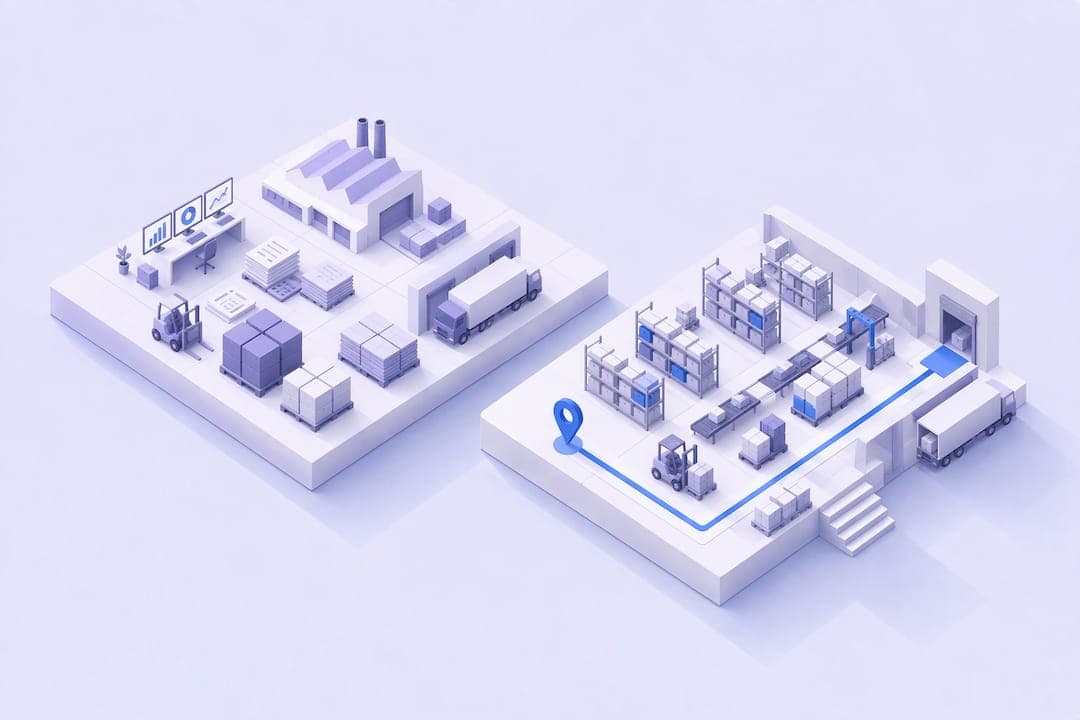
ERP and WMS systems are not rivals: the ERP is the brain that plans purchasing, finance, and orders, while the WMS directs execution inside the warehouse. Most industrial SMEs end up needing both, not one or the other. The right decision depends on the number of SKUs, daily orders, and inventory errors you are already dealing with—not on brand preference.
In summary:
An ERP is enough to manage accounting and planning when SKU volumes are low, but it limits control over day-to-day execution in high-turnover warehouses.
Only a WMS can direct specific activities such as picking and location, lot, and serial-number control, reducing errors and speeding up processes in complex operations.
The decision to implement an ERP or a WMS is based on indicators such as inventory errors, the number of active SKUs, and daily orders—not on brand preference.
Efficient system integration requires clear rules for data ownership and the use of real-time APIs to avoid manual processes and frequent conflicts.
For SMEs, a unified platform that combines MES, MRP, and WMS, such as Bold Factory, simplifies integration and reduces the risk of errors and additional costs.
Table of contents
-
Criteria and thresholds: when an ERP is enough and when to implement a WMS
-
Healthy integration: what data lives in each system and how to avoid the ‘integration gap’
-
The editor’s perspective: how to avoid fragile integrations using integrated platforms
What an ERP does and what its logistics modules provide
The ERP serves as the company’s single source of financial and planning truth. Purchasing, invoicing, accounting reports, and high-level inventory data live there: how many units you have, what they are worth, and what margin they generate.
Its typical functions cover sales orders, purchase orders, accounts payable and receivable, and an aggregated view of stock by warehouse or product. This is enough to handle accounting and plan purchases somewhat in advance.
The problem arises in day-to-day execution. An ERP’s warehouse module usually offers basic control: it knows how many units there are, but not the exact shelf, aisle, or pallet they are on. It also does not handle lot or serial-number traceability well as volumes grow, or physically direct an operator during picking. For a factory with few SKUs and low volumes, this limitation goes unnoticed. For one managing hundreds of SKUs and daily orders, it becomes the source of almost all inventory errors.
What a WMS does and why it improves warehouse operations
A warehouse management system focuses on day-to-day physical execution: receiving goods, directed put-away, optimized picking, packing, and shipping. Every movement is recorded with precise location and lot details and, when applicable, a serial number.
This has immediate practical consequences. The system can direct an operator using RF or PDA devices to a product’s exact location, apply picking rules based on optimal routes, and confirm every movement in real time. In sectors with traceability requirements (food, pharmaceuticals, components with warranties), this capability is not a luxury; it is a requirement.
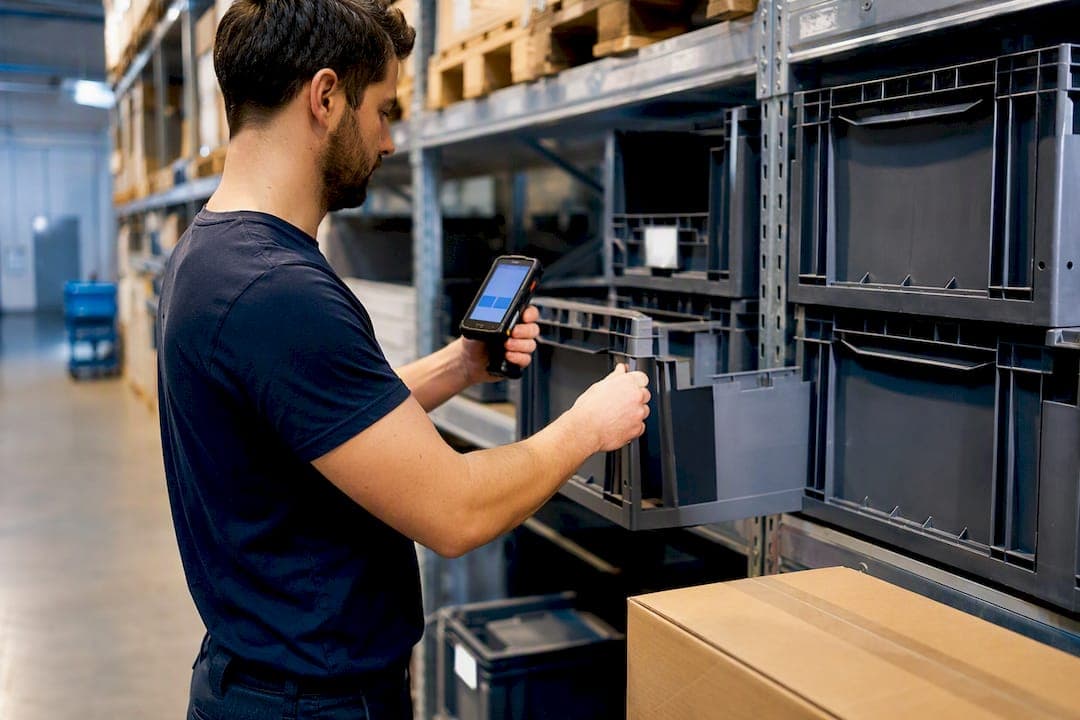
Additional automation (RFID, weighing systems, integration with conveyor belts) expands what a WMS can do, but the core is always the same: execution control at a level of detail an ERP is not designed to provide. It reduces picking errors, speeds up order fulfillment, and provides a true view of physical stock, not just accounting stock.
Practical comparison: key differences and what to look at
When comparing an ERP and a WMS for your operation, four factors matter more than any vendor’s technical spec sheet:
-
Scope and responsibility: the ERP plans and consolidates finances; the WMS executes and controls the physical movement of goods.
-
Level of inventory detail: the ERP works with summary figures by product or warehouse; the WMS works with exact locations, lots, and serial numbers.
-
Labor management: only the WMS measures productivity by operator, picking times, and adherence to work routes.
-
Logistics metrics: shipping error rate, order cycle time, and inventory accuracy are calculated using data that only a WMS captures reliably.
The risk of choosing just one of the two depending on your actual volume is predictable. Relying only on an ERP in a high-turnover warehouse causes constant discrepancies between what the system says and what is on the shelf, along with endless manual reconciliations. Adopting a WMS without connecting it properly to the ERP creates the opposite problem: excellent operational data that never reaches accounting or purchasing plans. Neither scenario is sustainable for more than a few months.
Criteria and thresholds: when an ERP is enough and when to implement a WMS
There is no need to guess. There are fairly clear numerical and qualitative signs that indicate when it is time to make the move.
Pro tip: Before looking at software prices, measure your picking error rate for a month. If it exceeds a small percentage of orders, you are already paying the real cost in returns and reshipments—it just does not appear on any license invoice.
As a general guideline, some industry guides put the threshold at more than 500 active SKUs or more than 100 daily orders, the point at which an ERP’s warehouse module starts to fall short.
In addition to the raw numbers, pay attention to these qualitative signs:
-
Your team relies on parallel Excel spreadsheets to find out where each product actually is.
-
Operators come up with their own “tricks” to find stock because the system does not reflect reality.
-
Customers regularly receive incomplete orders or the wrong SKUs.
-
You cannot trace a defective lot back to its source in minutes, but only in hours or days.
The impact varies depending on the sector. A discrete manufacturing operation with well-defined production lots and few SKUs can manage for years with an ERP alone. An eCommerce or retail business, or any operation subject to traceability regulations (food, medical devices), usually needs a WMS much sooner, because the cost of an error is not just operational—it is regulatory.
Healthy integration: what data lives in each system and how to avoid the ‘integration gap’
The typical workflow goes like this: the order originates in the ERP, goes to the WMS for physical preparation, and the picking and shipping confirmation returns to the ERP to close the cycle and update the accounts. When this cycle works well, each system does what it does best without duplicating effort.

The most common failure is not technical; it is organizational: no one defines who “owns” each piece of data. Locations, lots, and serial numbers must have a clearly defined owner, agreed upon by IT and operations before the systems are connected. Without that rule, manual reconciliations become a weekly routine rather than an occasional exception.
The practices that genuinely prevent this friction are concrete: use APIs with real-time events instead of overnight synchronizations, schedule periodic automatic reconciliations, and validate the entire workflow in a limited pilot before rolling it out across the entire plant. Skipping this governance phase is the number-one reason an ERP-WMS integration ends up creating more work than it saves.
Costs, ROI, and implementation phases for SMEs
The cost components of a WMS typically include licenses or a subscription, integration with the existing ERP, devices (PDAs, RF readers, label printers), and team training. Full implementations can require an investment of tens of thousands of euros, with an expected return in approximately one to one and a half years for high-turnover operations or those with strict traceability requirements.
The implementation sequence matters just as much as the budget:
-
Start with a pilot in one warehouse area, not the entire plant at once.
-
Validate Wi-Fi coverage and the actual performance of the devices before the general rollout.
-
Train operators using real cases from your warehouse, not generic examples from the vendor.
-
Set aside enhanced support for the first few weeks after go-live.
This approach of running a controlled pilot before scaling dramatically reduces the risk of throughput disruptions during the transition.
Experience with rapid implementations in industrial SMEs offers a consistent lesson: failures almost never come from the WMS or ERP themselves, but from the seam between them. A platform that integrates MES, MRP, and WMS from the outset eliminates that friction point and accelerates returns, because data never needs to “travel” between different systems.
What most operations managers realize too late
The question “ERP or WMS?” is poorly framed from the outset. The technical boundary between the two systems is becoming blurred: modern ERPs are adding warehouse functions, and WMSs are gaining financial visibility. What truly separates a successful implementation from a failed one is data governance and the rollout sequence, not the brand chosen.
The most common mistake I see in industrial SMEs is treating the decision as an upfront budget issue. Owners tend to resist the additional investment, while operations managers prioritize the functionality they need every day; that imbalance often ends with an ERP overloaded with patches that nobody designed it to handle. My practical recommendation: do not buy a separate WMS if your volume does not yet justify it, but do not keep forcing the ERP’s warehouse module to do more when error metrics are already warning you. First, prioritize measuring your operational reality using concrete numbers; then decide on the system.
How to manage WMS and ERP with a single platform
Bold Factory is an alternative to building a custom integration between your ERP and an external WMS: rather than stitching together two different systems, it unifies production (MES), planning and purchasing (MRP), warehousing (WMS), and maintenance (CMMS) in one place, with AI agents that automate repetitive tasks through natural-language instructions.
For an industrial SME with between 5 and 100 operators, this eliminates the exact problem described earlier: the integration gap between systems that were never designed to communicate with each other. Bold Factory’s WMS module manages locations, lot traceability, and shipping from a mobile device, natively connected to production and purchasing, without the need for a separate integration project. It is implemented in days and has no long-term commitment—something no traditional custom development can offer. If you want to find out whether your operation has reached the point where it makes sense to take the next step, request a demo and compare your own SKU, daily order, and error metrics with what Bold Factory can show you in real time.